 WhatWorks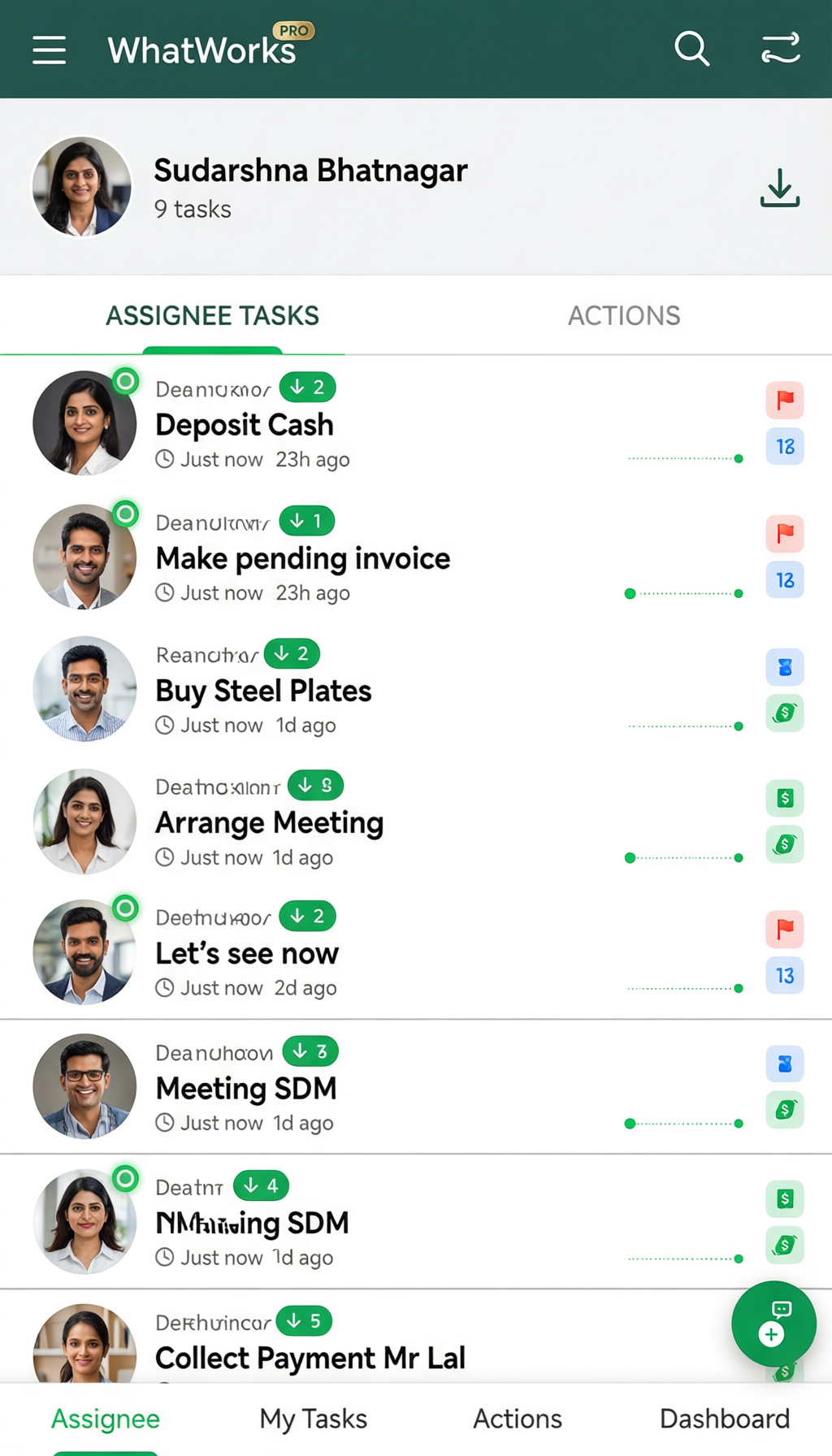
Tasks that actually move
Create a task, assign it to anyone in your contacts by phone number, and the conversation lives on the task itself. Status changes, edits and follow-ups all appear in one thread — so context never gets separated from the work.
- Assign by phone number — no account needed up front
- BY ME / TO ME split so you see both sides at a glance
- Full activity log, exportable to CSV or PDF
Know what your team is working on
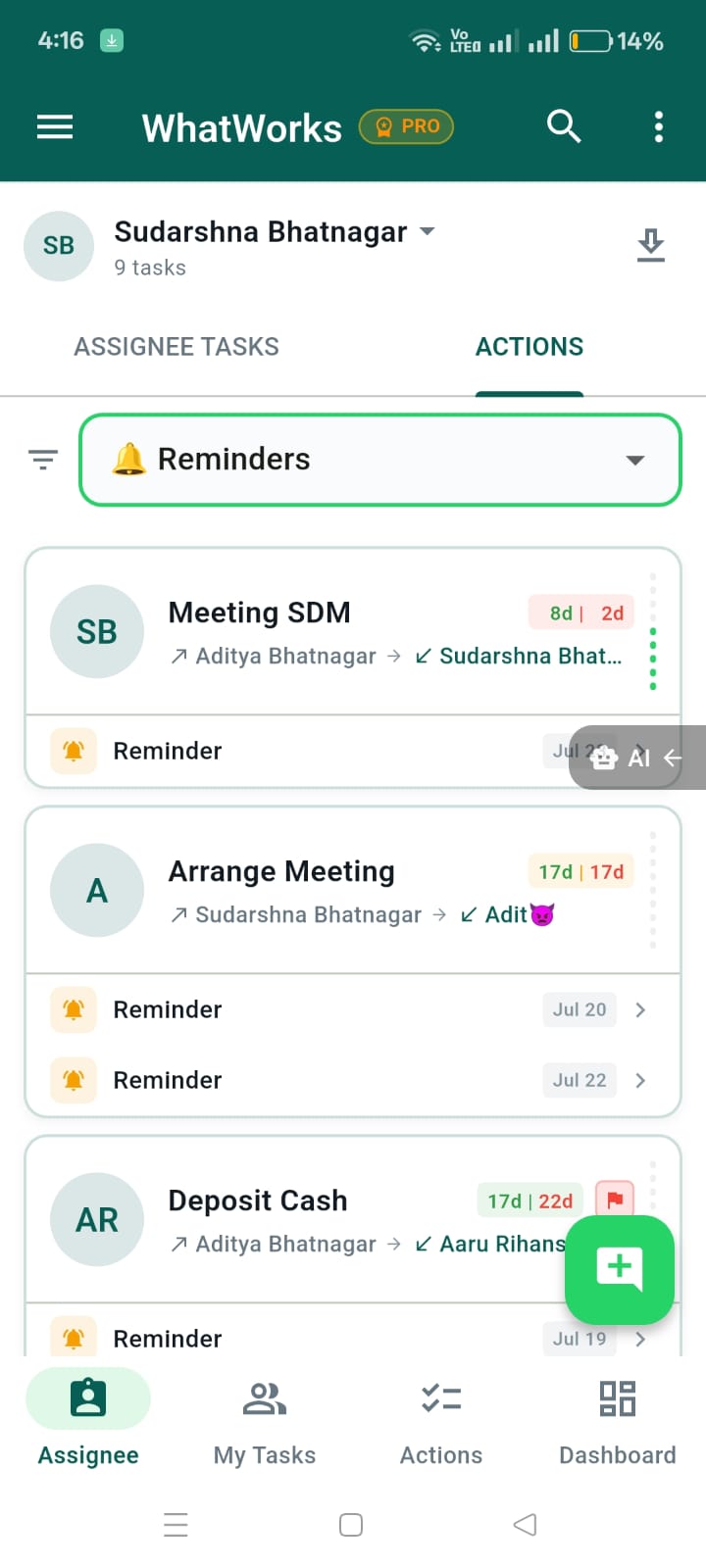
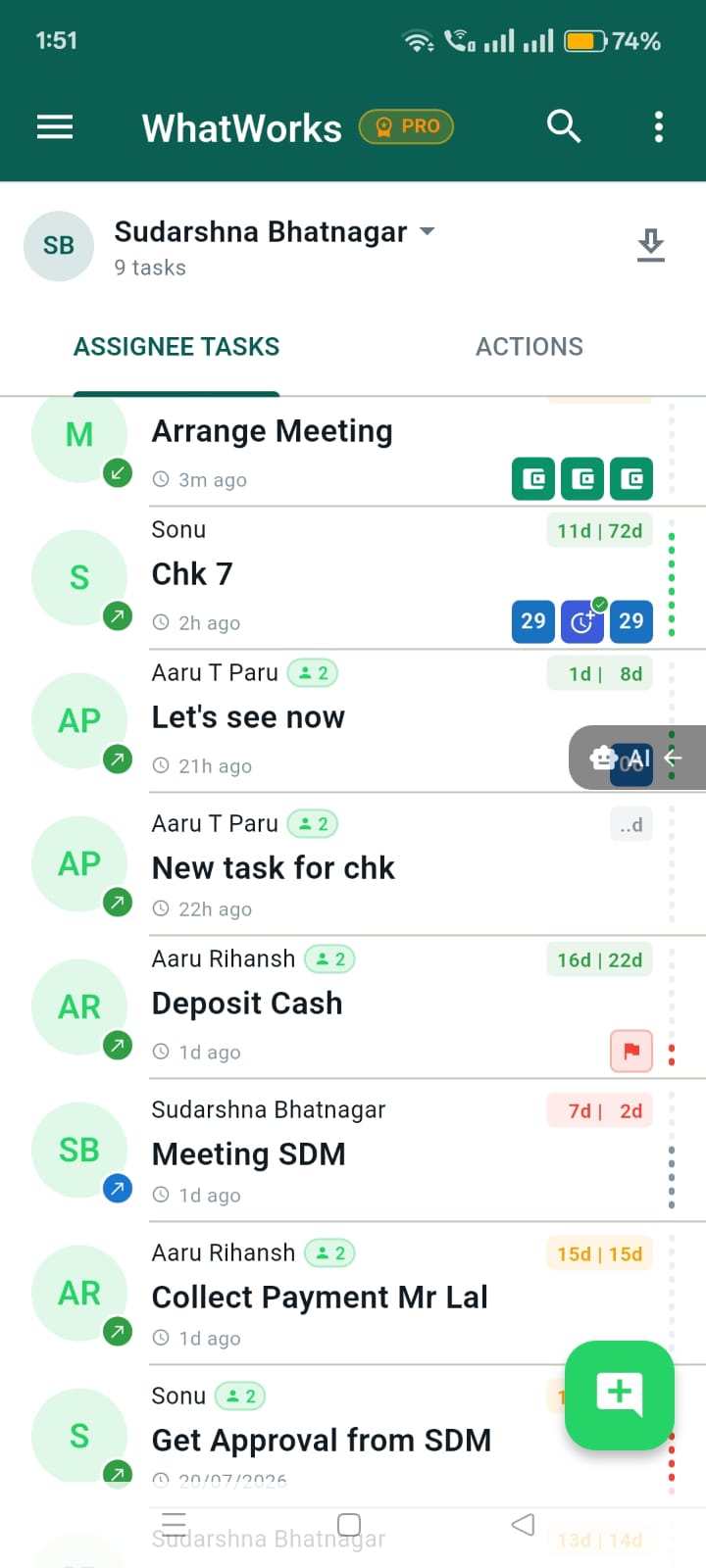
Open any teammate's view and see the tasks assigned to them and the actions waiting on them. No status meetings, no "did you do that yet?" messages — just the list, live.
- Assignee tab shows their tasks and pending actions
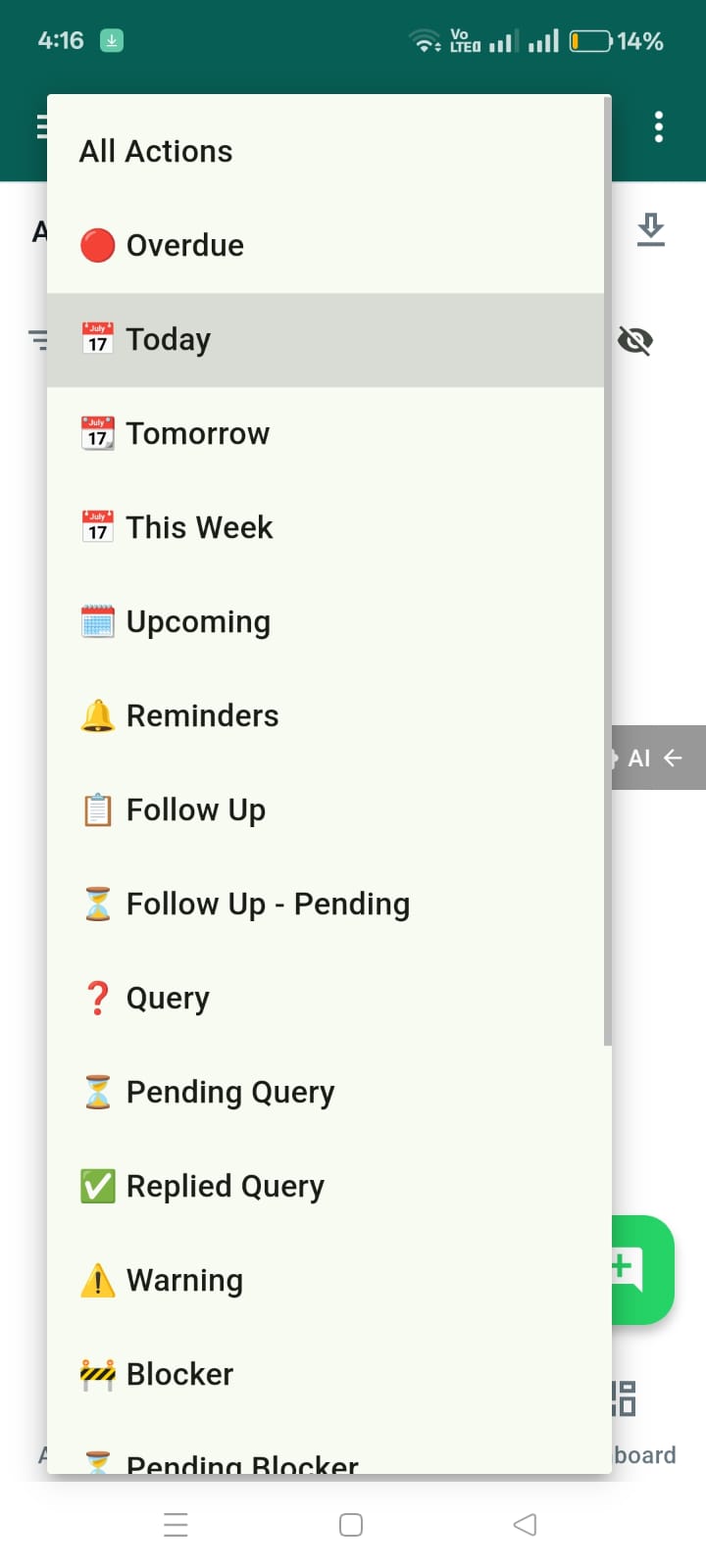
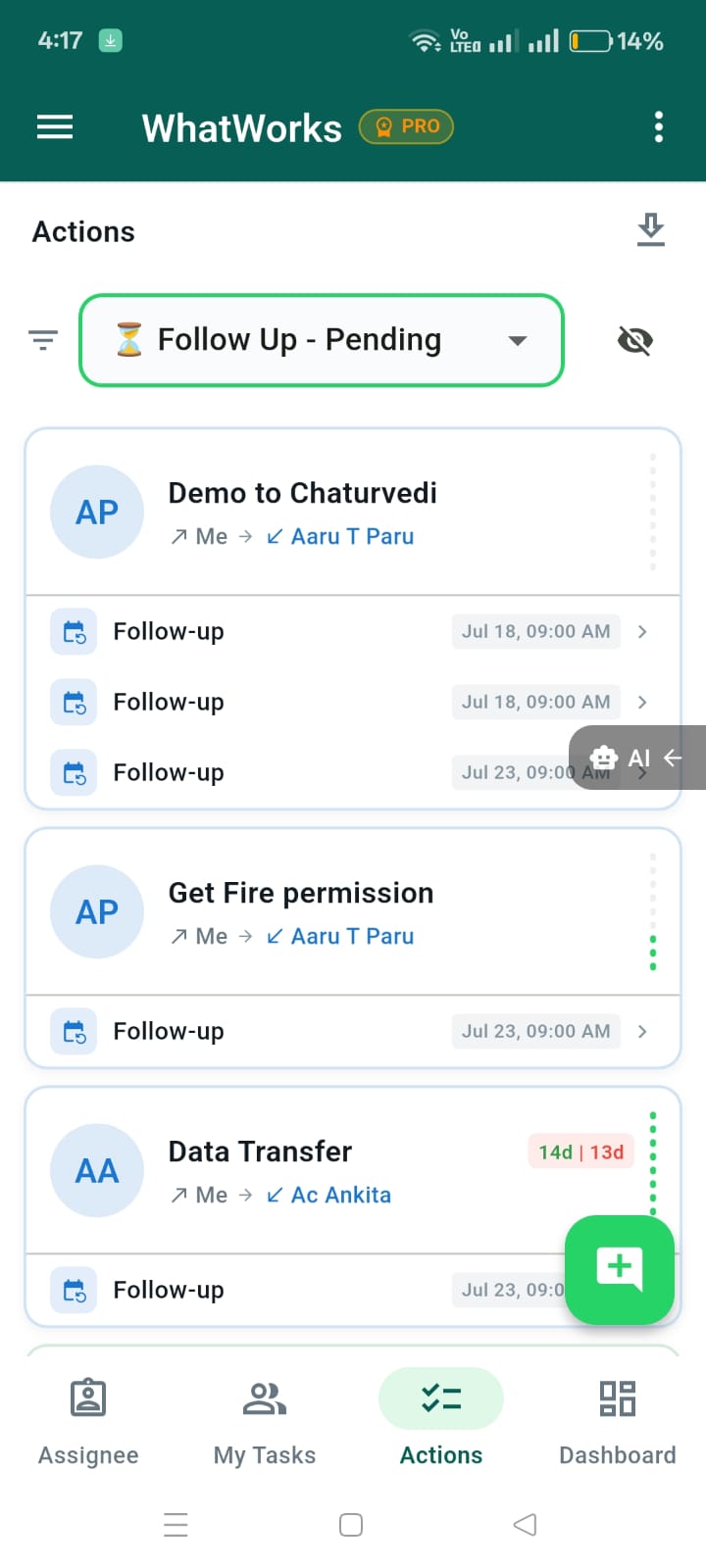
- Reminders, follow-ups and escalations in one place
- Filters for Overdue, Today, This Week, Upcoming
Sales and dashboards, same app
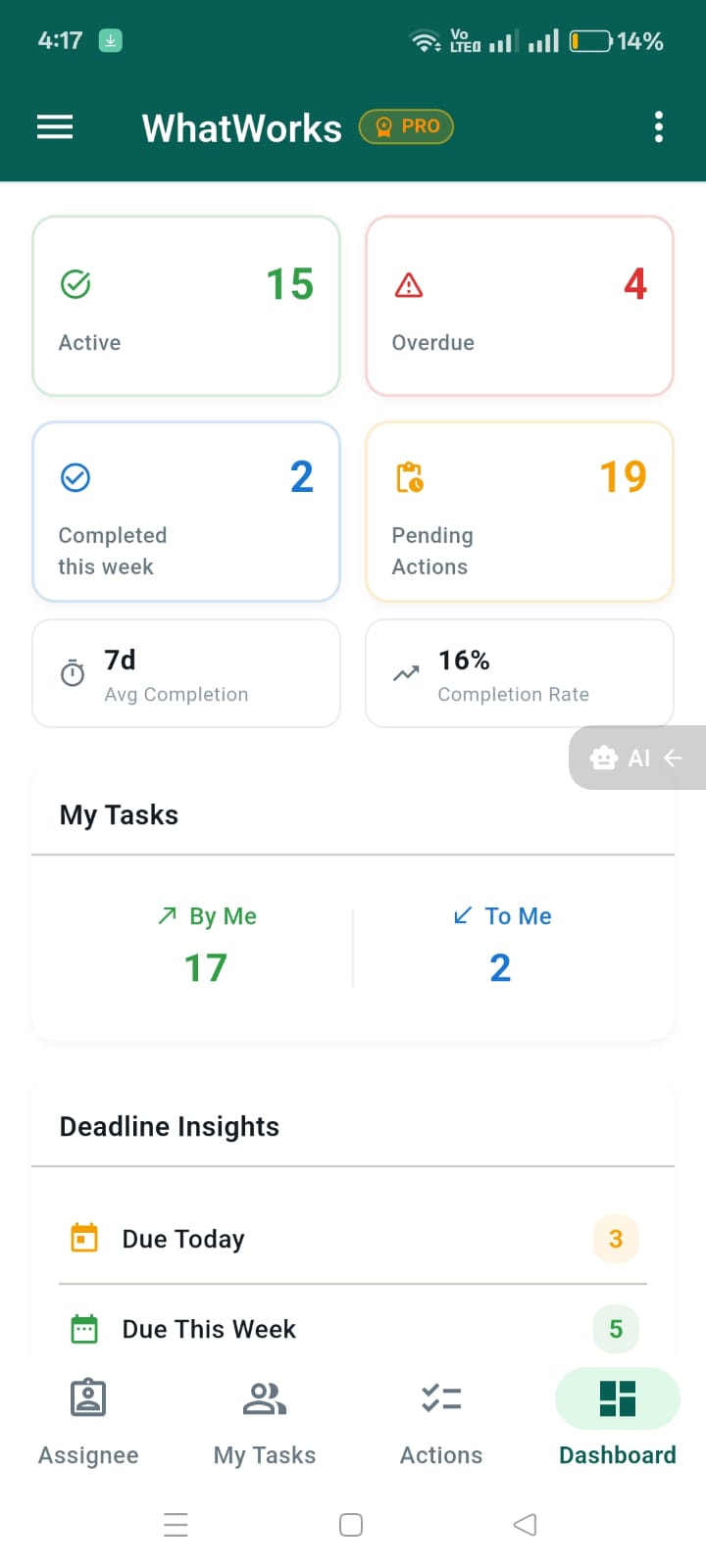
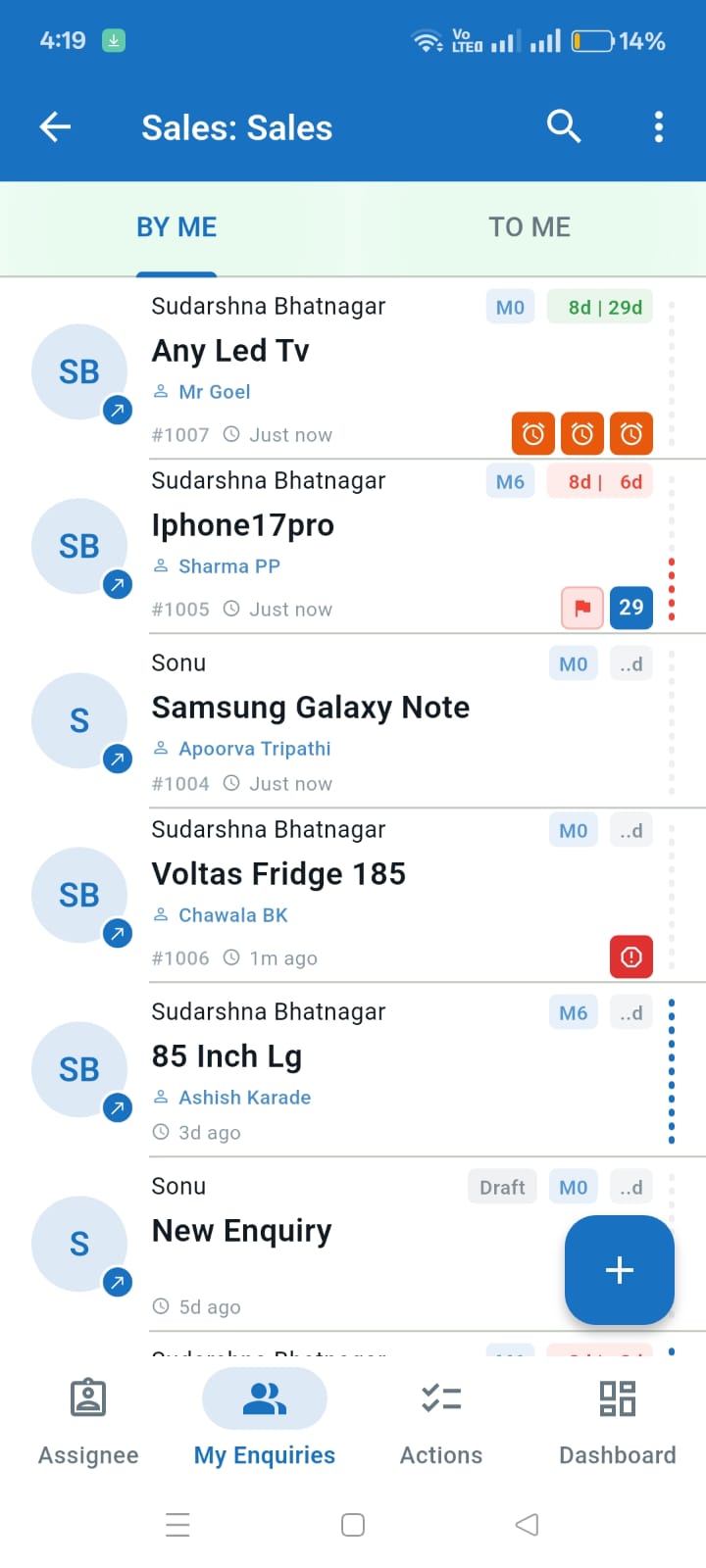
Run enquiries through the same chat and follow-up tools as tasks, and see the numbers that matter on the dashboard — active, overdue, completed this week, completion rate. One app for the work and the scorecard.
- Sales enquiries with stages and counters
- Dashboard with active, overdue and pending actions
- Deadline insights: due today, due this week
Everything you need, nothing you don't
Assign by phone number
Pick someone from your contacts. If they are not on WhatWorks yet, the task links to them automatically when they join.
A chat on every task
Discussion, status changes and edits live in one thread, so context never gets separated from the work.
Sales enquiries
Track enquiries through their stages with the same chat and follow-up tools as tasks.
Follow-ups
Schedule the next touchpoint and get reminded, instead of keeping it in your head.
Attachments
Share photos and documents on a task. Files are kept on your device and delivered through the cloud.
Exports & reports
Take your tasks out as CSV or PDF whenever you need them elsewhere.
Get the app
WhatWorks runs on Android. Install the app, sign in with your mobile number, and you are ready — there is nothing to set up.
Premium
Every account starts free. Premium raises the limits — more contacts per task, more storage for attachments, exports and reports, and more sales teams. It is a per-user plan, so you can upgrade just yourself.
View pricing